

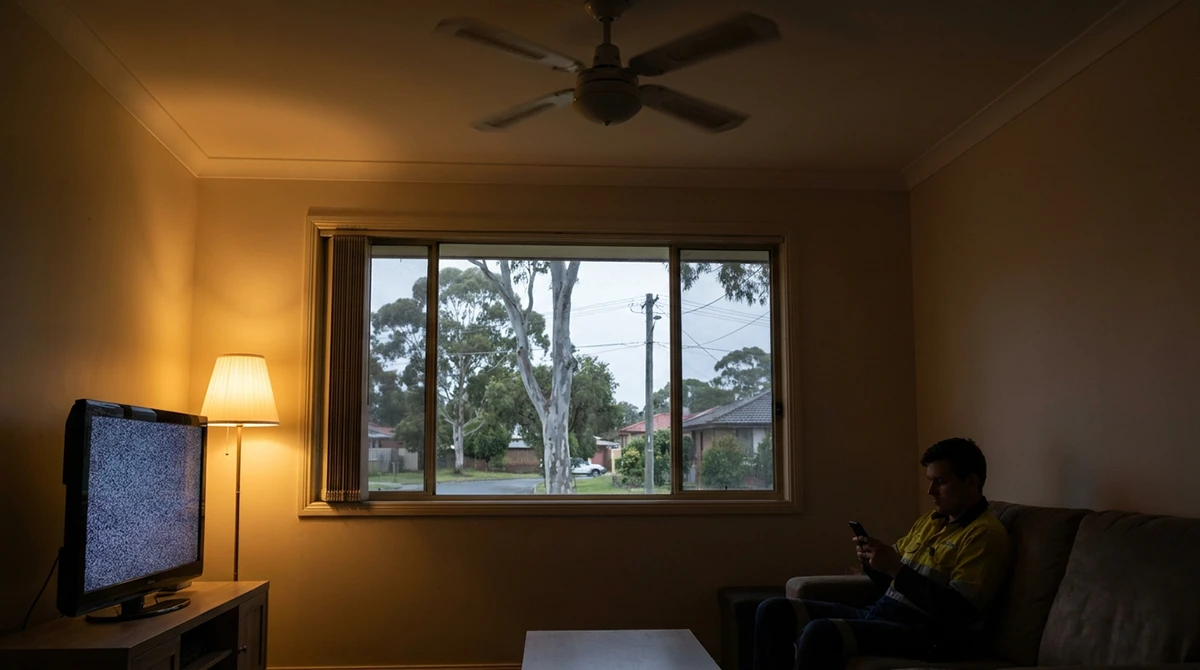
An electrical brownout is a drop in supply voltage that makes your lights dim and your appliances struggle. Unlike a blackout, where the power cuts out completely, a brownout keeps delivering power, just not enough of it, and often unevenly. That weak, unsteady supply is hard on anything with a motor or compressor, like your fridge, air conditioner or pool pump, and it can stress sensitive electronics. The faster you act, the less likely you are to end up with a damaged appliance. Speed matters.
Brownouts may also become more common. Recent research for the Australian Energy Regulator found that at least one electricity network expects low voltage to become a growing problem, as more homes switch to electric appliances and push up demand on the grid.
This guide covers how to spot a brownout, what causes one, which appliances to switch off first, what protection actually works, and what to do if something gets damaged.
Brownout vs Blackout: What’s the Difference?
A blackout is a complete loss of power. A brownout is a drop in voltage where the power stays on but runs weak.
| Brownout | Blackout | |
|---|---|---|
| Power level | Partial, often fluctuating | None |
| What you notice | Dim or flickering lights, sluggish appliances, devices restarting | Everything off |
| Main risk | Motors overheating, electronics restarting and losing data | Spoiled food, and surges when the power returns |
The name comes from old incandescent bulbs, which dimmed to a brownish glow when the voltage dropped.
What Are the Signs of a Brownout?
Your lights flicker or look noticeably dim, your modem keeps restarting, appliances sound sluggish or strained, and smart devices behave erratically. If the power is completely off, that’s a blackout. Weak and unsteady? That’s a brownout.
In Australia, household supply is nominally 230 volts. Under Australian Standard AS 60038, it’s allowed to sit between roughly 216V and 253V. A brownout is when the voltage sags below that range for long enough to affect how your home runs. Below that, things start to struggle.
What the symptoms tell you
| Symptom | What it usually means |
|---|---|
| Lights dim across the whole house | Voltage has dropped across the supply |
| Fridge or air con humming loudly, clicking or cycling on and off | A motor is struggling with low voltage. Act now. |
| Modem, TV or computer restarting on its own | Voltage is dipping below what the device can handle |
| Some rooms dim while others are unusually bright | Possible fault in your own wiring or supply connection. Call an electrician. |
Try this now
- Turn on a light. Is it unusually dim or flickering?
- Listen to your fridge. Is the compressor humming louder than normal, or clicking on and off?
- Look outside. Are the streetlights or your neighbours’ lights dim too?
How do I check if it’s just my area?
That third check matters most. If the whole street is dim, the problem is on the network. Check your distributor’s outage map: Endeavour Energy covers most of Western Sydney, and Ausgrid covers inner, eastern and northern Sydney. A brownout may not show up on the map, because the power hasn’t actually gone off. If the map shows nothing but your street is dim, call your distributor’s faults line to report it.
Only your house? That’s a different story. The cause may be a loose connection, a faulty neutral wire, or a problem with your consumer mains (the main cable bringing power into your home). These faults can overheat connections and create a fire risk, so switch off sensitive appliances and call a licensed electrician.
Next step: If you’ve confirmed a brownout, go straight to the checklist below.
What Causes a Brownout?
Most brownouts happen when demand on the network is higher than it can comfortably supply, or when something damages or strains the equipment that delivers power to your street.
Common causes include:
- Heatwave demand: air conditioners across a whole area running at once
- Storms: lightning, wind, and trees or branches coming down on power lines
- Faults or overloaded equipment: such as a struggling local transformer
- Accidents: a vehicle hitting a power pole
- Problems inside your home: a loose connection, a faulty neutral wire or an overloaded circuit. This is the only cause an electrician fixes on your side of the meter.
How long do brownouts last?
Anything from a fraction of a second to several hours. A storm-related dip can be over almost instantly. A brownout caused by heatwave demand may last until demand eases later in the day. If your lights stay dim for more than a few minutes, treat it as a brownout and start switching things off.
Is a brownout dangerous?
Not usually to people, but it can be to your appliances. Motors and compressors overheat in low voltage, and electronics can restart and lose data. The real safety concern is when only your home is affected, because that can point to a loose or overheating connection.
Should I Unplug My Fridge During a Brownout?
Yes. Switch off your fridge, and any other appliance with a motor or compressor, as soon as you confirm a brownout. When voltage drops, motors try to make up the shortfall by drawing more current. That extra current builds heat in the windings. Over time, the heat can shorten the motor’s life, and in a long or repeated brownout it can burn the motor out.
Switch the appliance off at the powerpoint first, then unplug it. It’s the gentlest way to disconnect. Nothing surges back on when the power returns.
What the testing shows
Researchers at Arizona State University ran household air conditioner compressors through controlled voltage sags in a lab. When the voltage dropped to about half of normal for longer than a sixth of a second, the compressors stalled. Motor current climbed to nearly five times its usual level, and the built-in thermal protection shut the motor down. In those short tests, nothing was permanently damaged. The protection did its job.
A brownout is a different situation. The voltage can stay low, or dip and recover over and over, for minutes at a time. Every stall and restart adds heat and strain to the motor. That’s why switching off at the wall is the safer move, rather than relying on the appliance to protect itself.
The appliance triage checklist
Priority 1: Switch off immediately (highest risk of damage)
- Fridges and freezers
- Air conditioners (most are hardwired, so turn them off at the remote and at the isolator switch outside)
- Washing machines and dishwashers
- Pool and spa pumps
- Desktop computers (a sag can restart them and wipe unsaved work)
Priority 2: Switch off to avoid glitches and data loss
- TVs and home theatre systems
- Gaming consoles
- Smart home hubs
Leave one lamp on so you know when full power is back.
Common mistakes
Mistake: Opening the fridge or freezer to check on it.
Keep the doors shut so the cold stays in.
Mistake: Switching everything back on the moment the power returns.
Hold off. The supply can bounce for a few minutes after a brownout ends. Wait three to five minutes after the lights are back to full brightness, then reconnect your appliances one at a time, starting with the fridge.
Mistake: Repeatedly flicking circuit breakers on and off.
If your safety switch or a breaker has tripped, reset it once. If it trips again, leave it off and call an electrician. A breaker that keeps tripping is telling you something’s wrong.
Quick test: Count your major motor-driven appliances. You should be able to switch off four or five of them within about two minutes of spotting a brownout. Can’t manage that? The long-term setup below takes the manual work out of it.
Does a Surge Protector Protect Against Brownouts?
No. A standard surge protector does nothing for a brownout. Surge protectors are built to stop voltage spikes (too much power). A brownout is a voltage sag (too little power). To protect against brownouts, you need a device that either corrects low voltage or cuts the supply when the voltage falls too far.
Surge protection is still worth having, because spikes can happen when power comes back on after an outage. It just solves a different problem.
The protection matrix
| Device | What it protects against | Best for |
|---|---|---|
| Standard surge protector or powerboard | Voltage spikes only | Lamps, phone chargers, small electronics |
| UPS (battery backup) | Blackouts, spikes and short brownouts | Computers, modems, TVs |
| Battery backup that also evens out small voltage dips on its own (sold as a “line-interactive UPS with AVR”) | Corrects minor sags without draining the battery, and switches to battery for deeper ones | Home office setups, gaming PCs, home theatre |
| Under-voltage protection device | Cuts power when voltage drops too low, then waits before reconnecting | Fridges, freezers and other motor-driven appliances |
| Hardwired voltage protection relay (installed at the switchboard) | Disconnects selected circuits during under-voltage or over-voltage | Air conditioners and other hardwired appliances |
Quick decision guide
- Does the device have a motor or compressor?
- Yes, and it plugs in: use an under-voltage protector with a reconnection delay of around three minutes, which gives the compressor time to settle before it restarts. Never run a fridge from a powerboard. Plug it straight into a wall powerpoint.
- Yes, and it’s hardwired (like most split system air cons): plug-in devices won’t work. Ask a licensed electrician about voltage protection at your switchboard.
- No: go to step 2.
- Does it have a screen, processor or data you’d hate to lose?
- Yes: use a UPS, ideally a line-interactive model with AVR.
- No: a quality surge protector is usually enough.
How Can I Protect My Home Against Brownouts Long Term?
Setting your home up properly comes down to three things: know what’s at risk, protect it, and make sure your own wiring isn’t the problem.
Step 1: Audit your high-risk devices
List the five most expensive or most important appliances in your home that have a motor, a compressor or sensitive electronics. For most households, that’s the fridge, the air con, the washing machine, the main computer and the TV.
Step 2: Protect motor-driven appliances
Start with the fridge. Plug your fridge and freezer into appliance protectors with an under-voltage cut-out. For hardwired appliances like air conditioners and pool equipment, talk to an electrician about voltage protection at the switchboard.
Step 3: Add battery backup where it counts
Run your modem, router, main computer and TV through line-interactive UPS units. For a typical home computer setup, look for a UPS rated at 1500VA or more (VA is the capacity figure on the box). Bigger setups need more.
Step 4: Clean up your powerboards
Heat and high draw don’t belong on a powerboard. Heaters, kettles, toasters, hair dryers and fridges should all be plugged directly into a wall powerpoint. If you don’t have enough powerpoints where you need them, an electrician can add more safely.
Step 5: Rule out problems inside your home
Not every brownout is the grid’s fault. Ageing wiring, a loose connection at the switchboard, an undersized or deteriorating consumer mains cable, or a household that has outgrown its electrical capacity can all cause voltage drops that look like a brownout. If the dimming happens only at your place, or gets worse when big appliances run, it’s worth having it checked. This matters more as you add electric appliances like induction cooktops, heat pumps and EV chargers.
Step 6: Stay informed
Check whether your distributor offers outage alerts, and save their faults number in your phone so you can report a brownout quickly.
The end result: Your big appliances are all plugged into the right protection. When the voltage drops, your UPS takes over or your protectors cut the supply automatically, and you don’t have to rush around the house switching things off.
Can I Claim for Appliances Damaged by a Brownout?
Possibly. In NSW, you can claim from your electricity distributor for damage caused by a voltage variation, such as a surge or a significant drop in voltage. Endeavour Energy, Ausgrid and Essential Energy have worked with the Energy & Water Ombudsman NSW (EWON) on shared principles for handling these claims. If your claim is knocked back, you can ask EWON to review it.
To give your claim the best chance:
- Lodge it with your distributor, not your retailer. That’s Endeavour Energy across most of Western Sydney, and Ausgrid in inner, eastern and northern Sydney.
- Keep the damaged appliance until the claim is finished.
- Get a written report from a qualified technician that says what was damaged and what caused it.
- Keep receipts and photos, and note the date and time of the brownout.
If you think the problem started in your home’s wiring rather than on the network, call a licensed electrician first. Claims generally cover faults on the network side, not problems inside your home.
When to Call an Electrician
Call a licensed electrician if:
- Only your home is affected while the neighbours are fine
- Lights dim in some rooms and get brighter in others
- You notice a burning smell, buzzing at the switchboard, or warm powerpoints
- A breaker or safety switch keeps tripping after a brownout
- You need a damage report to support a claim
- You want voltage protection installed at your switchboard
Moonlight Electrical is a family-owned and operated electrical business with Level 2 ASP accreditation. That means we can work on both your home’s wiring and the connection between your property and the network, including consumer mains. We’re available 24/7 for electrical emergencies across Western Sydney and greater Sydney. If you book before midday, we’ll arrive within 60 minutes or the service call is free.
We quote per job, not per hour, so you’ll know the price before we start. Every job is backed by our Lifetime Labour Guarantee and 7-year warranty, and seniors get 10% off. It’s part of why our customers have given us a 5.0 Google rating.
Worried about brownouts or flickering power at your place? Call Moonlight Electrical on 0401 019 632.